Logout
How do i logout of the system?
Desktop
-
Go to the Home Page and hover over your username icon at the top right corner.
-
A drop-down menu will appear with two options: Profile and Logout.
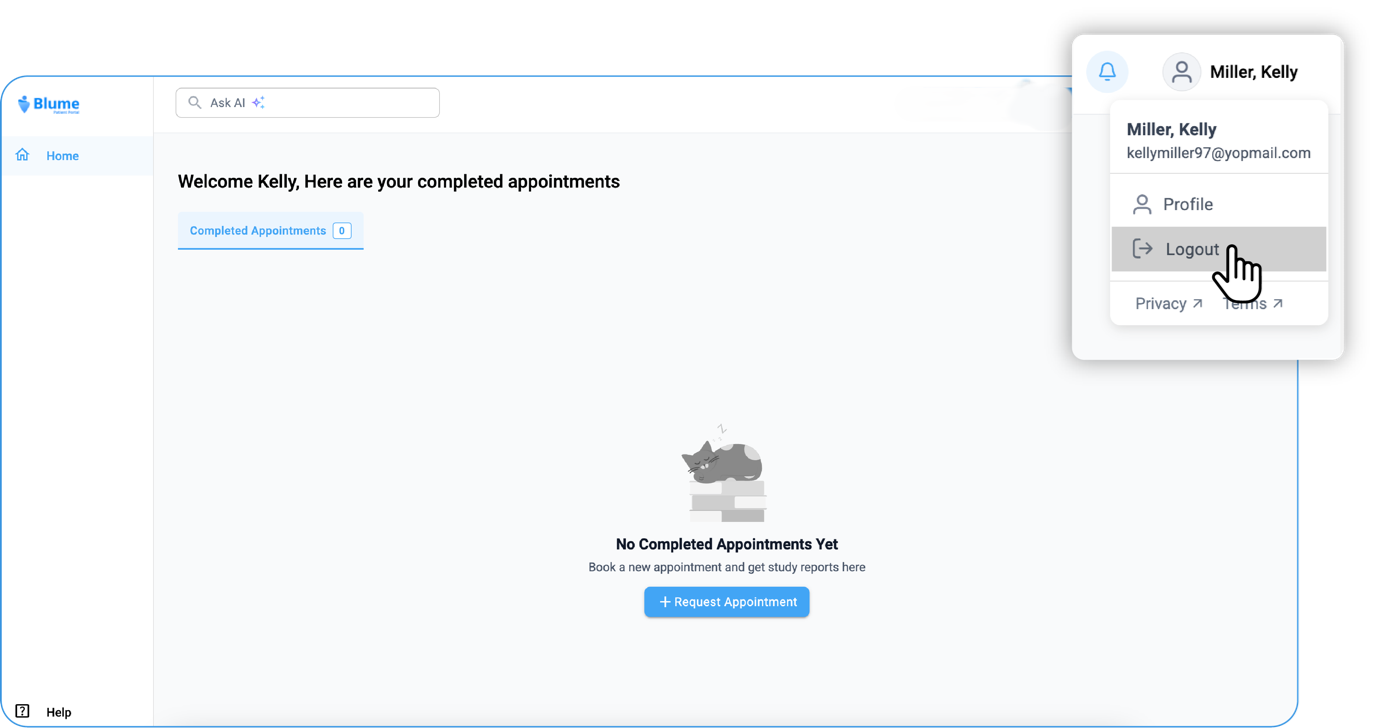
- Click on Logout to sign out.
Alternative Method:
-
Click on Profile icon.
-
Click on Settings.
-
Find your username and click the Logout button below it.
Mobile
-
Click on the Profile icon.
-
Go to Settings section.
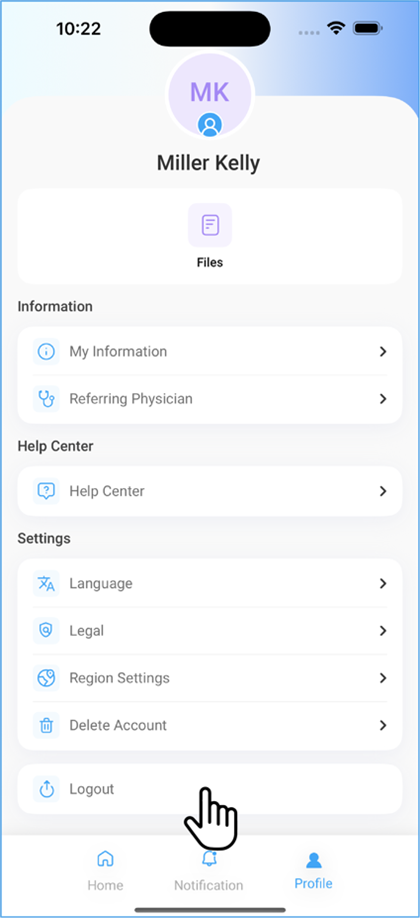
- Click on Logout option below.
The user gets logged out.