Confirming Appointments
How do I confirm an appointment?
Desktop
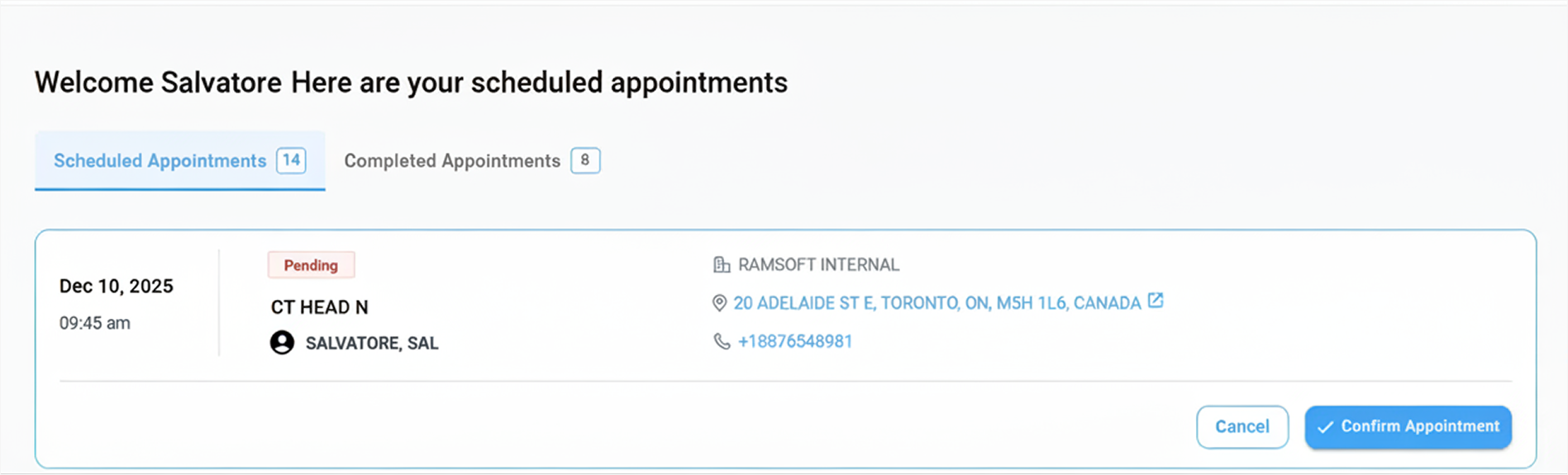
When the status of a requested appointment changes to Pending in the Scheduled Appointments tab, click the Confirm button below the appointment card to confirm the booking.
Mobile
Confirming an Appointment
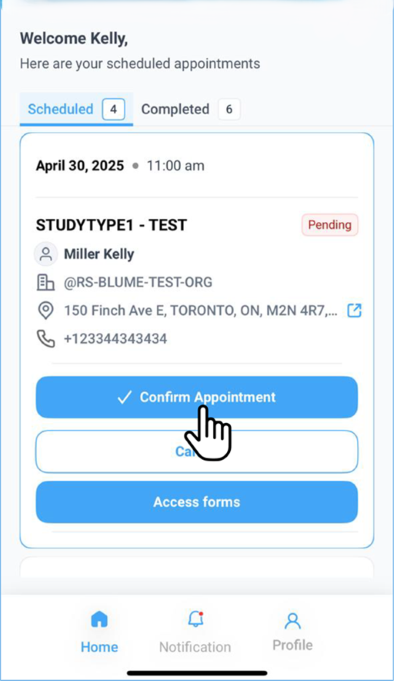
- Under Scheduled Appointments with the status Pending, the Confirm Appointment button is now available directly at the bottom of the selected appointment card, found above the Cancel and Fill Out Forms buttons.
- Tap Confirm Appointment to finalize the booking.
- The appointment status will update to Confirmed once the action is completed.